


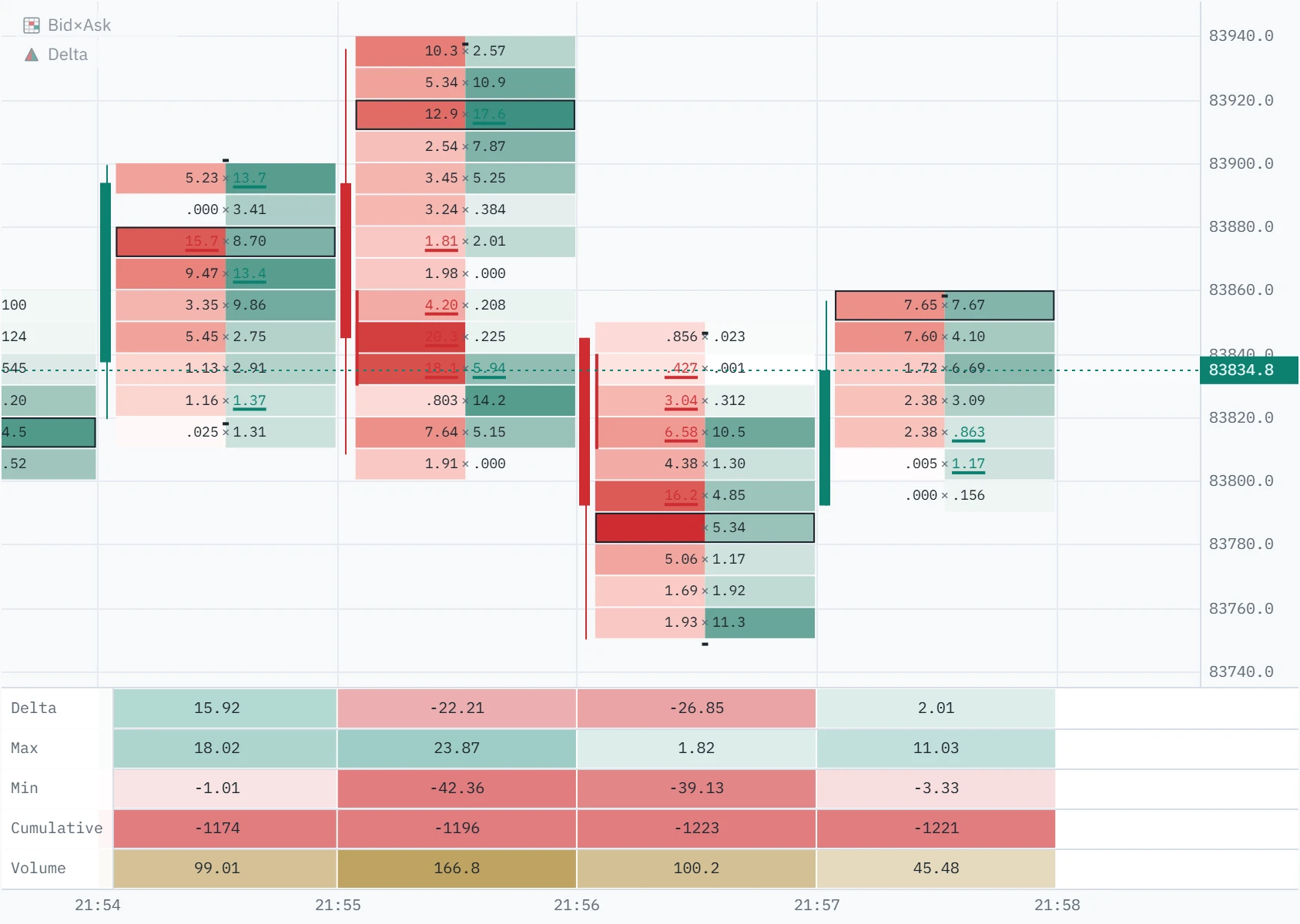
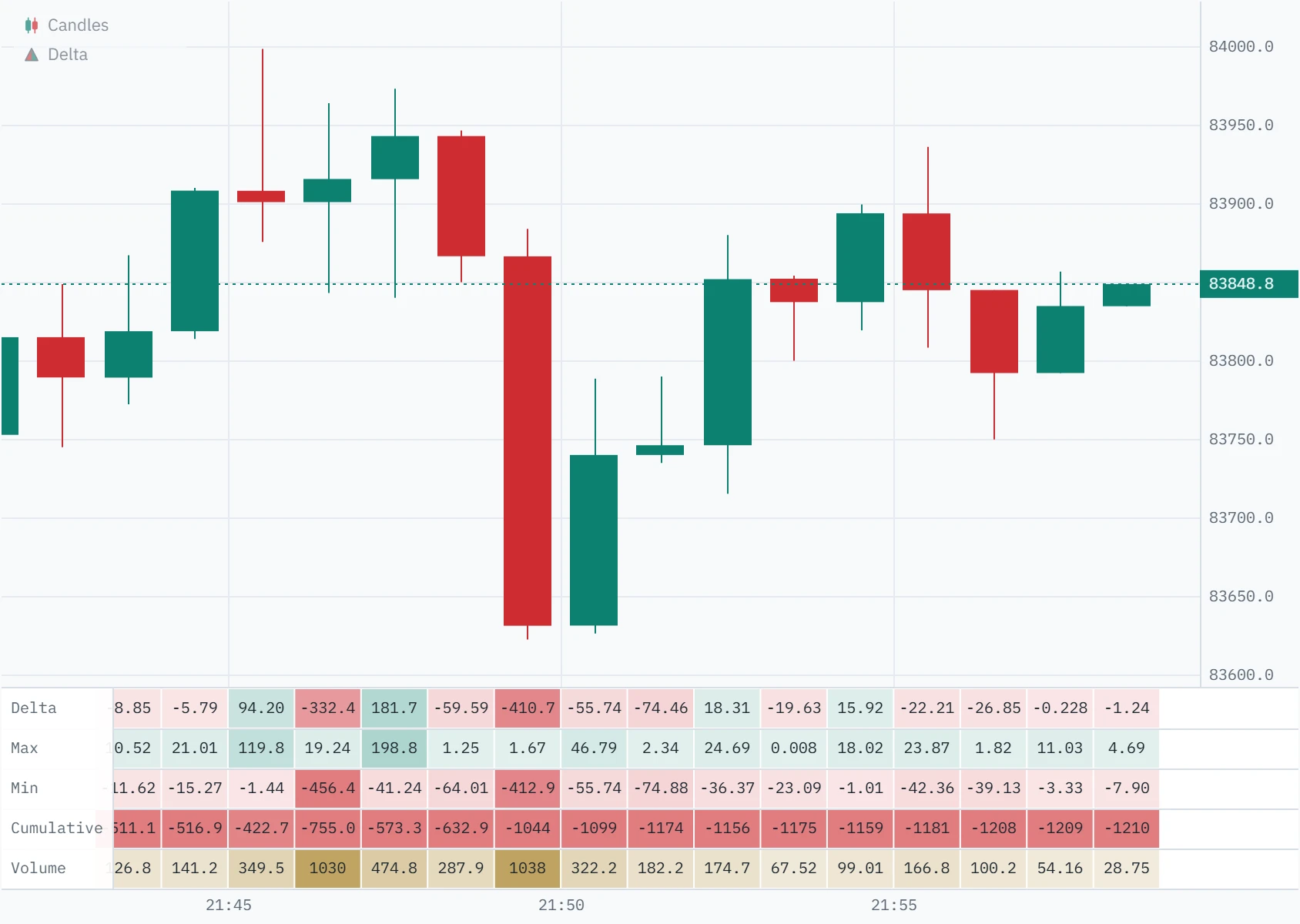
Delta is market buying minus market selling: the volume that lifted the offer, less the volume that hit the bid. The delta panel prints it under every bar, with the highest and lowest it reached inside the bar, a running total and the bar’s volume, so you can see which side was pushing, and whether it was still pushing at the close.
What delta is
Every trade has a buyer and a seller, so “more buyers than sellers” is never true of a market. What differs is who was in a hurry. One side of each trade was resting in the book; the other crossed the spread and took it. The exchange marks that second side, the aggressor, on every print. A market buy lifts the offer; a market sell hits the bid.
Delta adds those up for one bar: aggressive buying minus aggressive selling. A five-minute bar in which 500 BTC was bought at the offer and 320 BTC sold into the bid has a delta of +180. Traders also call it volume delta, bar delta or net delta; on a footprint chart it is the sum of every row. It says nothing about who was right. It says who was willing to pay the spread to get filled, and how much of that there was.
How Klustra measures it
Your browser connects to the exchange’s public trade stream and receives every print with its price, size and aggressor side. A Web Worker adds each one to its bar as it arrives: buys to one side, sells to the other, and the running difference after every print, which is where the bar’s highest and lowest delta come from. The panel reads the same bars the footprint is drawn from, so the two can never disagree.
We checked it against Binance’s own trade history on 1 October 2026, bar by bar. On the BTCUSDT perpetual, every delta and volume compared matched to the last digit; on spot, so did every bar’s highest and lowest delta. The same check found prints going missing from one bar, the one trading as the chart opened, on computers whose clock runs behind the exchange’s. That was fixed before this page was written.
Where each number comes from
The recent stretch of the chart is built from trades: six hours of order flow on Free, more with the Pro archive. Further back, bars are the exchange’s own candles, which carry far less. The panel prints only what each kind of bar actually knows, and a dash where it does not. A dash is never a zero.
| Bar built from | Delta | Max and Min | Cumulative | Volume |
|---|---|---|---|---|
| TradesThe order-flow window | Yes | Yes | Yes | Yes |
| Binance candlesOlder history | Yes | Dash | Yes | Yes |
| Other exchanges’ candlesBybit, OKX, Bitget, Gate.io, Hyperliquid, Coinbase | Dash | Dash | Dash | Yes |
| Archived daysPro, at 1-minute bars and longer | Yes | Dash | Yes | Yes |
Anatomy of the panel
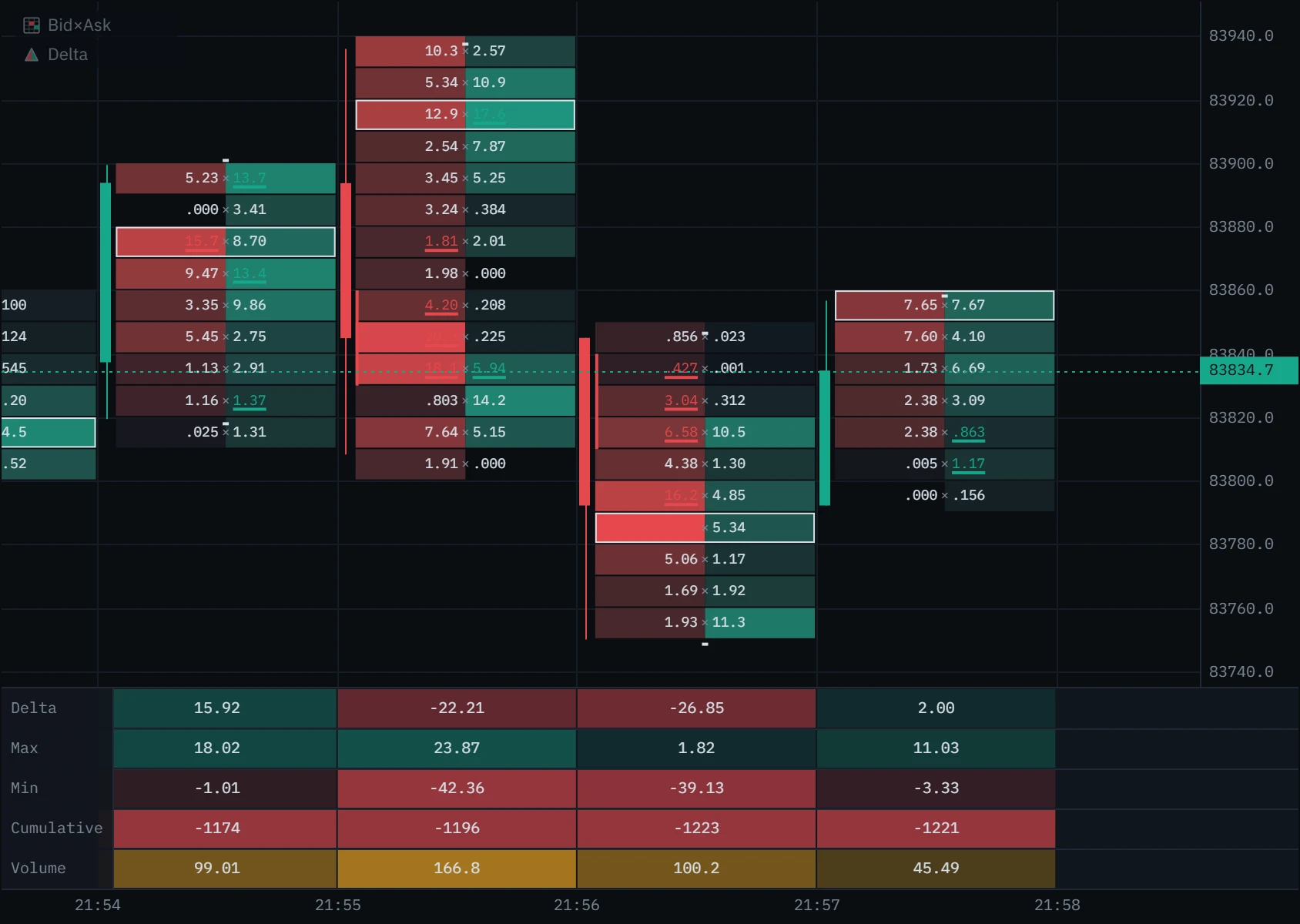
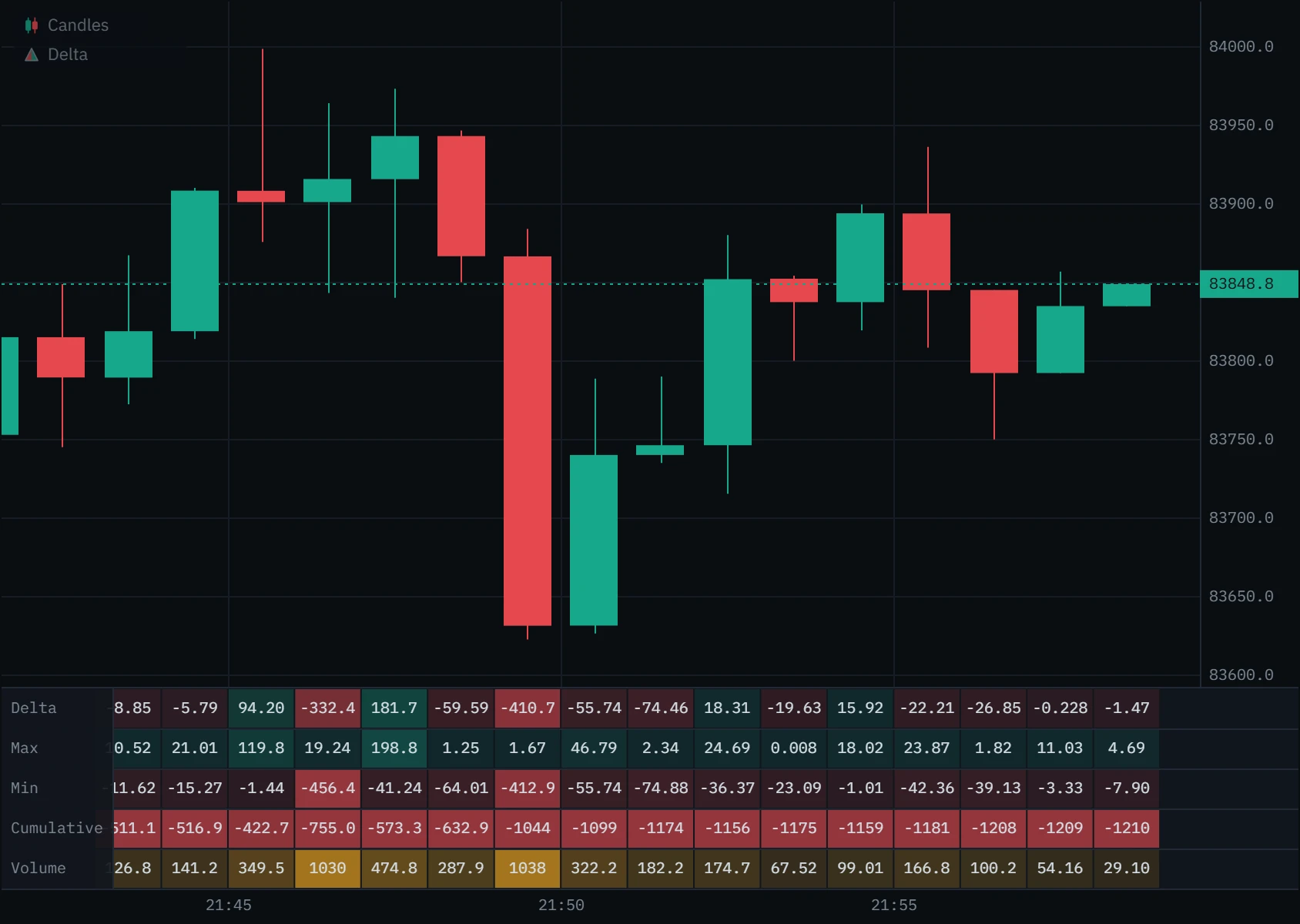
Five rows, one column per bar, aligned with the bars above them. Open each mark on the picture below.
Three ways to set it up
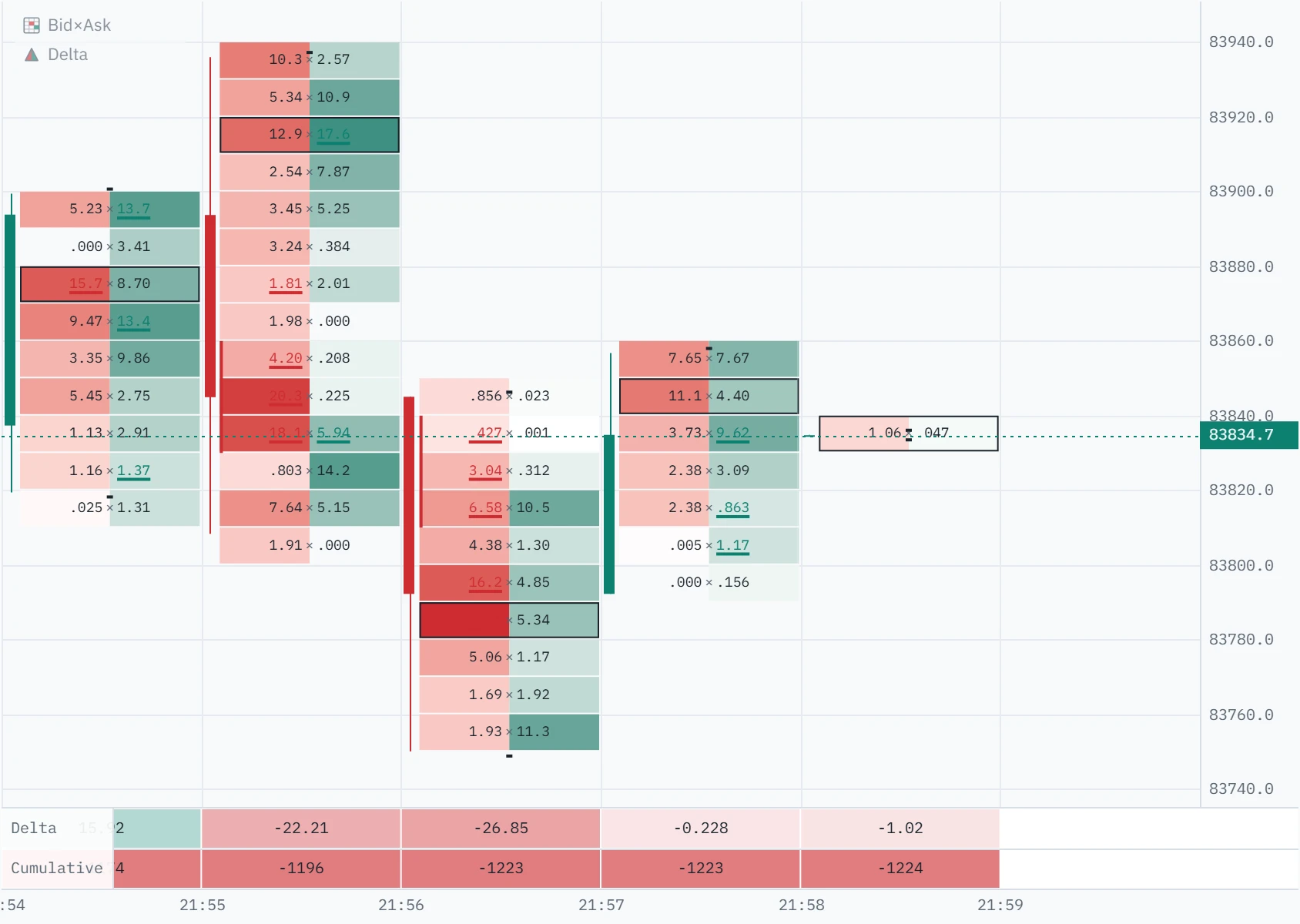
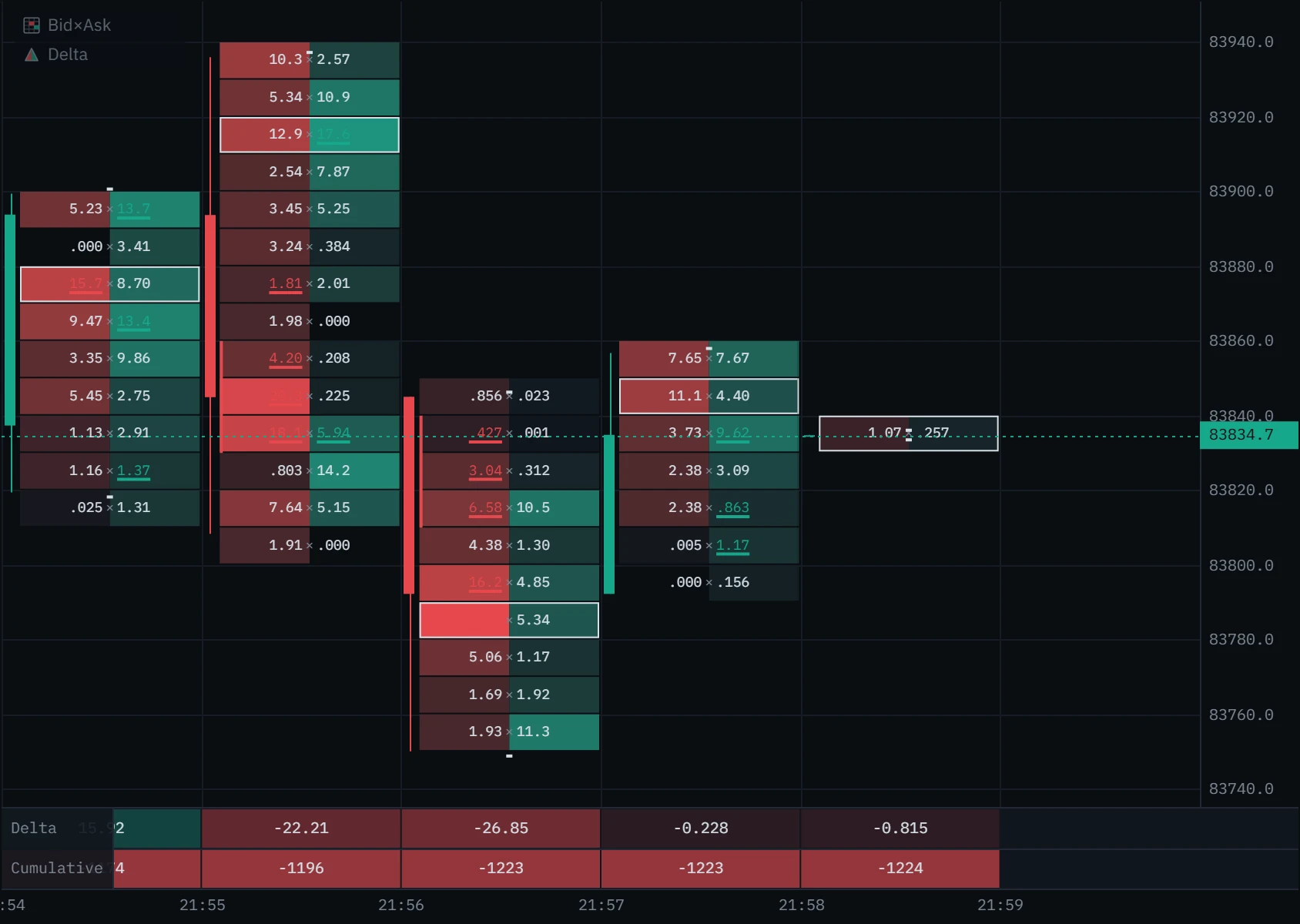
The panel works under candles and under the footprint. Every row is a switch.
Four things to look for
A delta number on its own is a fact, not a forecast. Each of these is a question worth asking at a price you already care about.
A green bar with a positive delta that closes near its Max: buyers took the offer all the way up and were still doing it at the close. That is initiative, and it is the ordinary case. It matters most when it happens leaving a level, not in the middle of a range.
- Look for
- Delta close to Max on a green bar, close to Min on a red one
- It fails when
- The next bar cannot extend and its delta turns
Using it in your trading
Delta is most useful at the edges: a level price has turned at before, a range high, yesterday’s low. In the middle of nowhere, most bars have some delta and it means very little.
Choose the level first
Decide where a reaction would matter on candles or a higher timeframe, before you look at the panel.
Read the bars that reach it
Does each bar’s delta agree with its candle, or argue with it? A bar that pushes into your level on falling delta has fewer aggressors behind it than the one before.
Compare the close with Max and Min
Pressure that was still there at the close is different from pressure that came and went inside the bar.
Weigh it against volume
The same delta means far more on a quiet bar than on a busy one.
Follow the cumulative row
A run of rising cumulative under falling prices, or the reverse, says the aggressive side is not the one winning. Watch its direction across several bars, never its level.
See where it traded
The footprint shows at which prices inside the bar the buying and selling printed: at the high, at the low, or all through it.
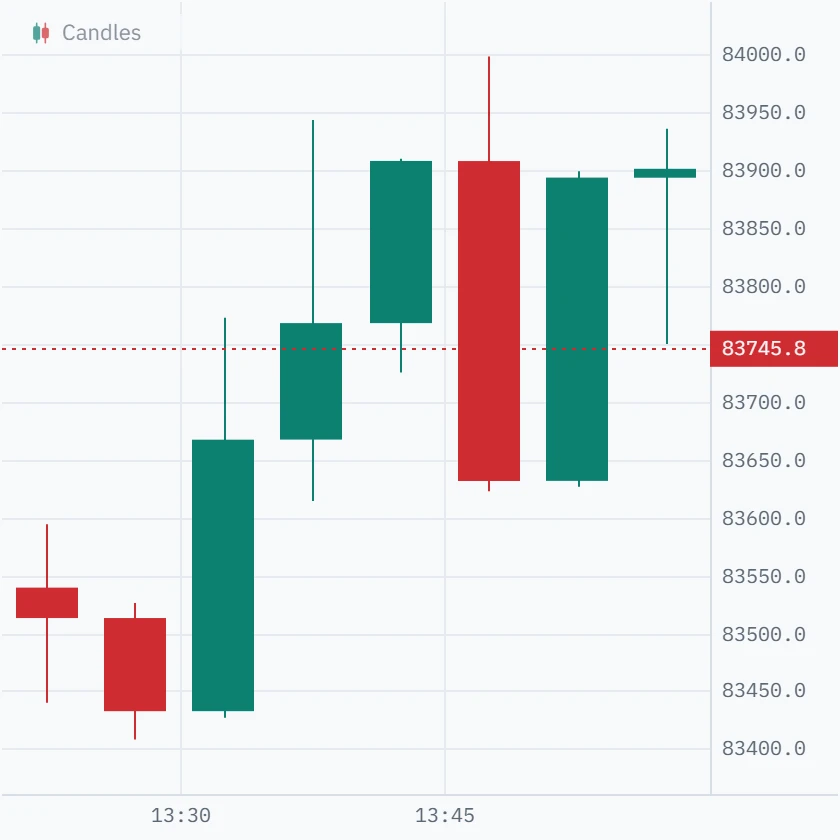
The 13:40 bar: up from 83,768 to 83,908.2, closing $1.80 under its high. On the candle, buyers in control.
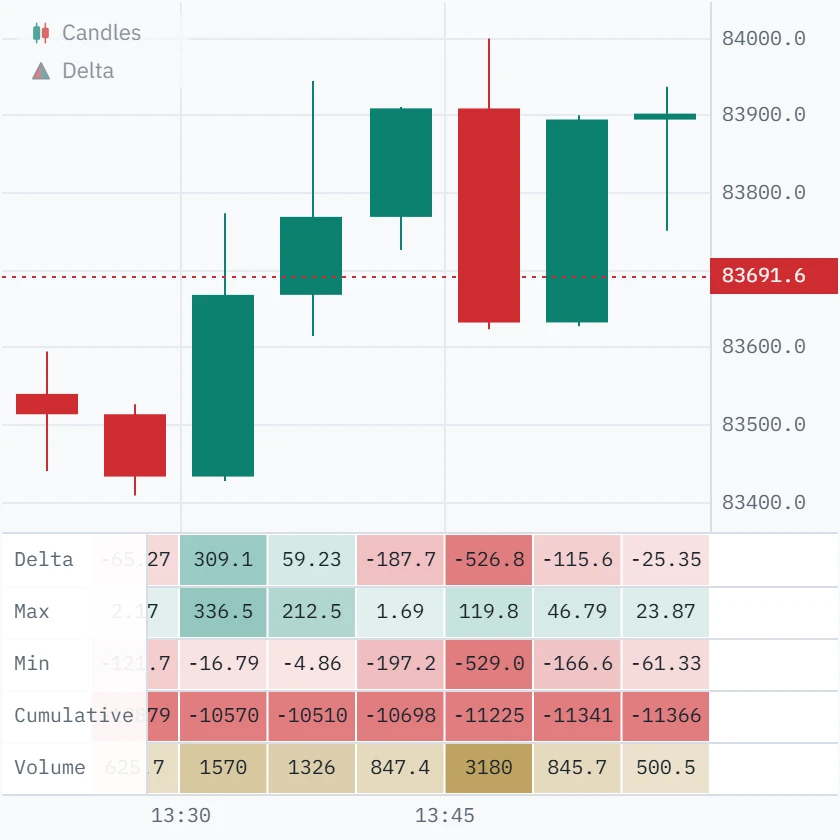
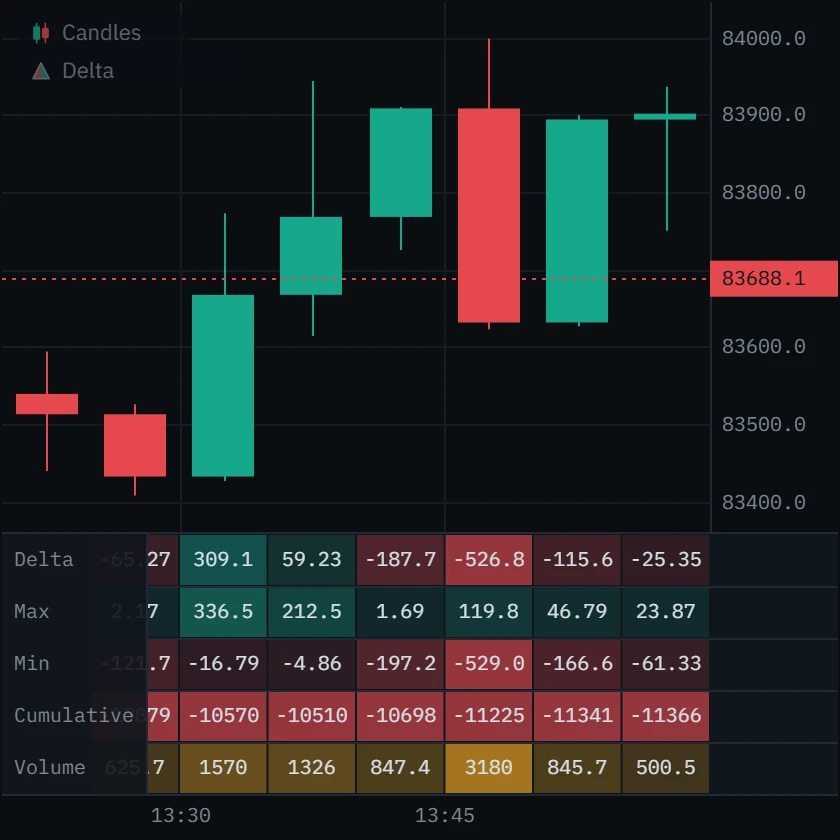
Its delta is −187.7 BTC, and the running delta never rose above +1.7: sellers hit the bid all bar and price climbed anyway, so resting bids were taking it. It did not hold. The next bar reached 84,000 and fell to 83,630 on −526.8, the heaviest selling on screen.
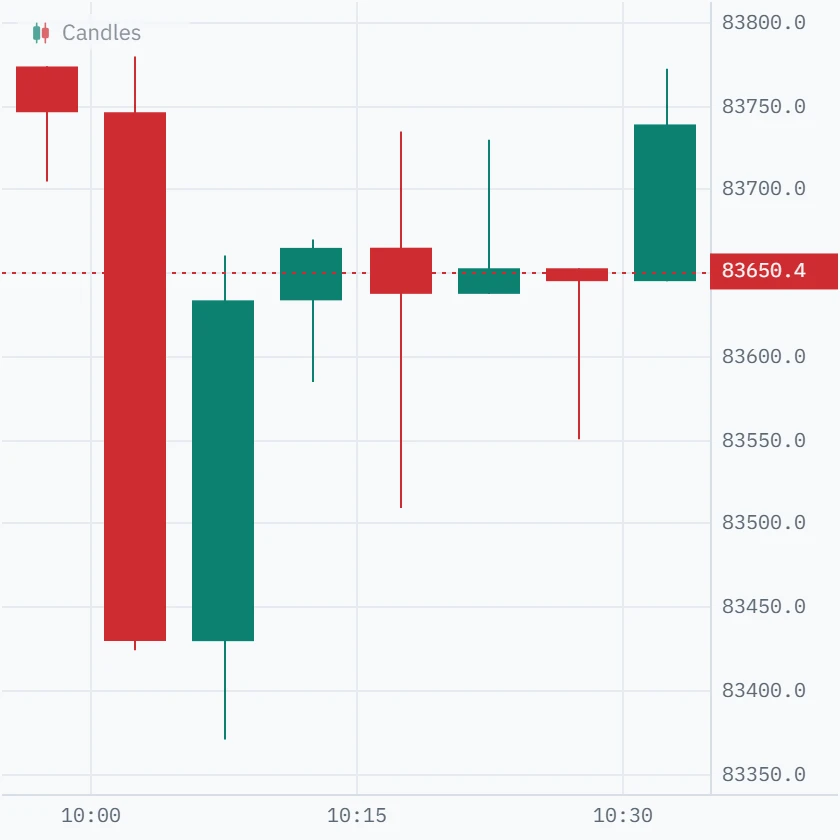
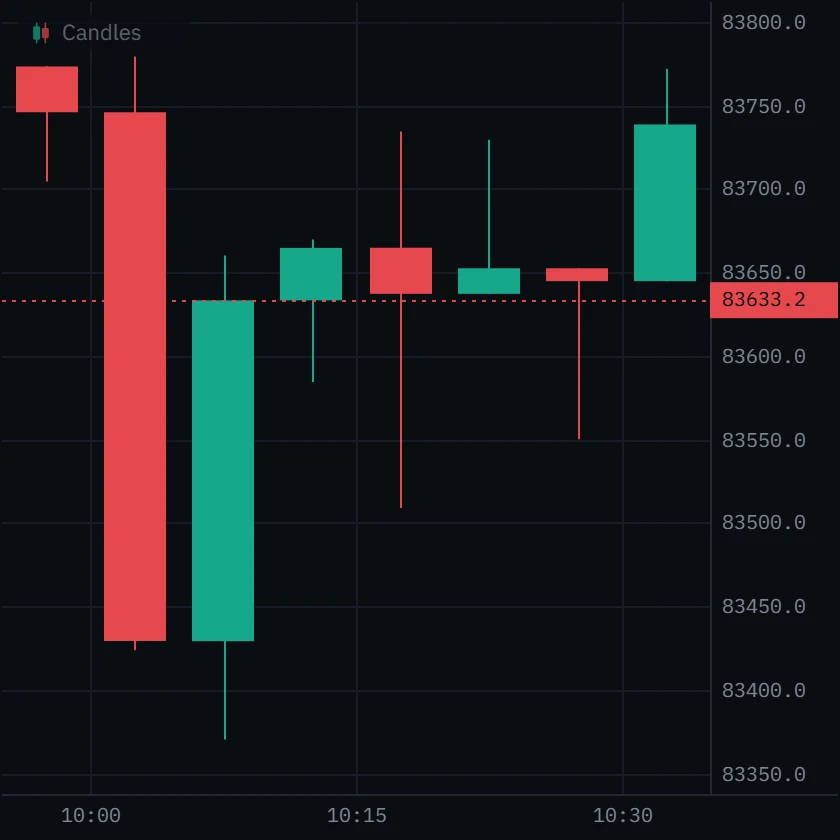
The 10:15 bar: a long lower wick to 83,508.8, then a close at 83,637, near where it opened. Something turned price around.
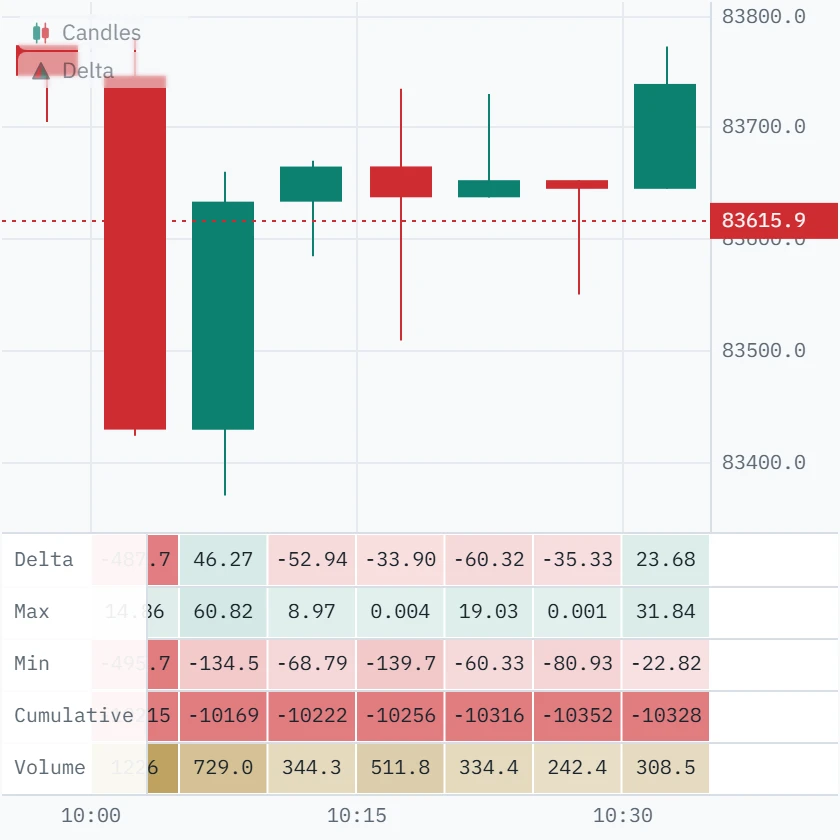
Min −139.7, close −33.9, and Max only +0.004: buyers never led. Sellers drove the running delta down 140 BTC to make that wick, then the other side took back three-quarters of it before the bar closed.
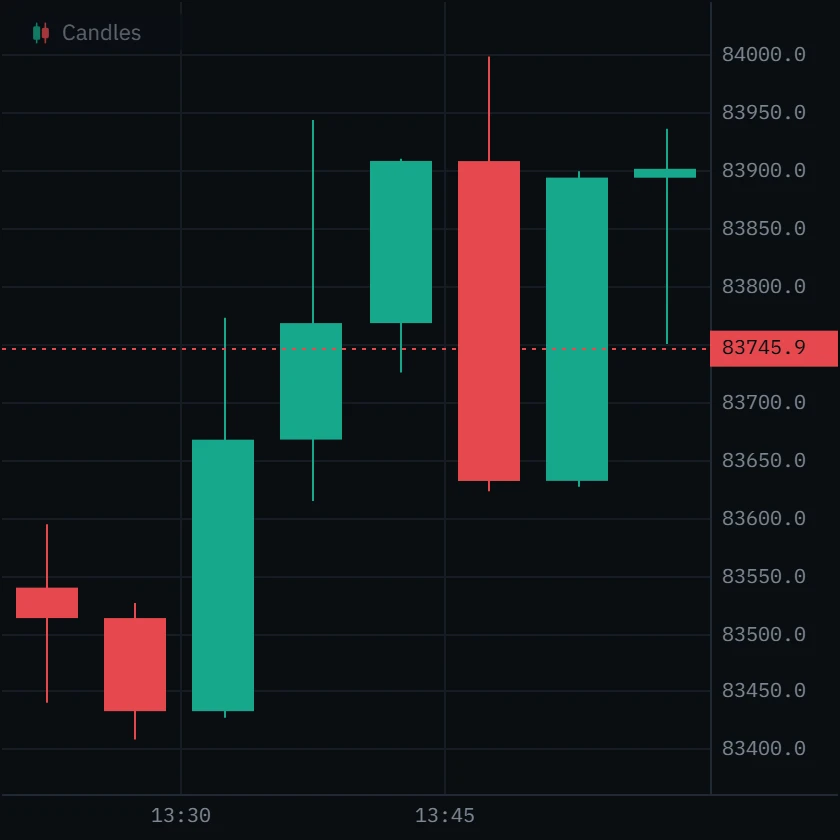
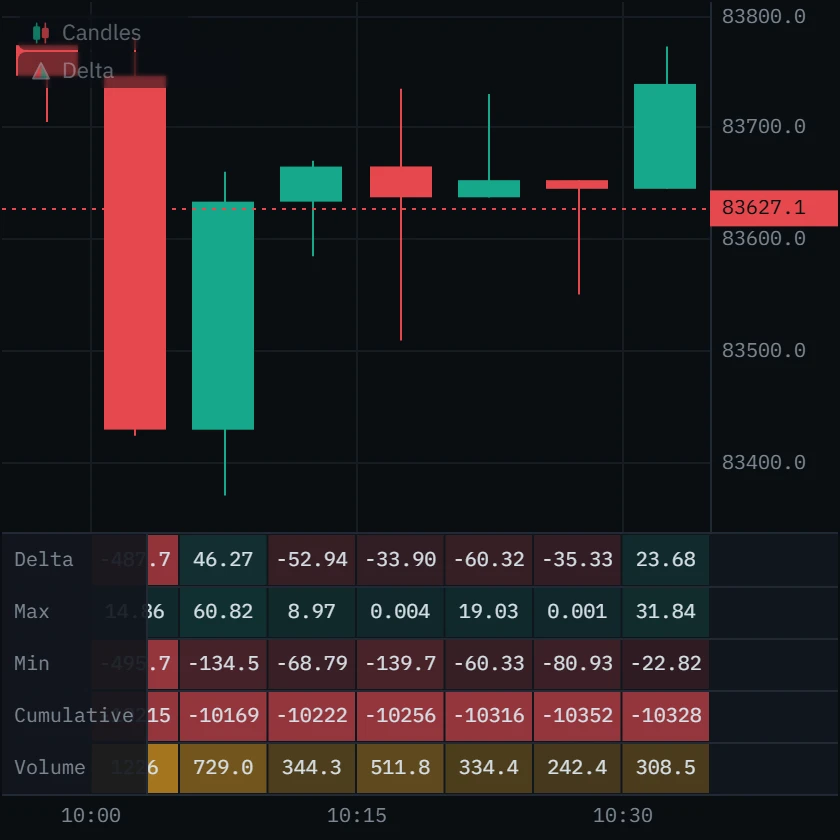
Real 5-minute bars on the Binance BTCUSDT perpetual, 1 October 2026 (UTC). Each pair is the same eight bars, with and without the panel.
Set it up in Klustra
Open the chart
Go to the free chart and choose an exchange and instrument. No account is needed.
Add the panel
Open Indicators in the toolbar and pick Delta under Order flow. It docks under the price, on candles or on the Bid × Ask footprint.
Size it
Drag the panel’s top edge to change the row height. Zoom in on the chart until the numbers appear in each column.
Choose the rows
The gear beside Delta in the chart’s legend opens its settings: switch rows off, or change the text size. The eye hides the panel without removing it.
Every setting
| Setting | Default | Range | What it changes |
|---|---|---|---|
| Text size (px) | 10 | 7 to 16 | How large the numbers are. Capped by the row height, so a number is never cut by a rule. |
| Row height (px) | 26 | 16 to 44 | How tall one row is; the panel is that times the rows switched on. Dragging the panel’s edge changes it too. |
| Delta | On | On or off | The row of each bar’s delta. |
| Max delta | On | On or off | The highest the running delta reached. |
| Min delta | On | On or off | The lowest it reached. |
| Cumulative delta | On | On or off | The running total from the first bar loaded. |
| Volume | On | On or off | Everything traded in the bar. |
Common mistakes and limits
- Reading delta as buyers against sellers. Every trade has both. Delta counts who was aggressive, and an aggressive side can lose.
- Reading the cumulative number. It starts from the first bar the chart loaded, which depends on the timeframe and moves when the chart reloads. Only its direction carries information.
- Ignoring volume. A delta of 20 is a strong bar at 60 BTC of volume and a balanced one at 800.
- Treating a dash as zero. A dash means the number is not known for that bar, usually because it is an exchange candle from before the order-flow window.
- Comparing venues. Each exchange has its own tape, and spot and perpetual are separate markets. Delta on one says nothing certain about another.
Free and Pro
The delta panel is part of the free chart, with the footprint and CVD. Pro reaches further back with order-flow history and adds the live book and tape tools.
| Feature | Free | Pro |
|---|---|---|
| Delta | Included | Included |
| CVD | Included | Included |
| Footprint chart (bid × ask) | Included | Included |
| Bid-ask imbalance and stacked imbalances | Included | Included |
| Volume | Included | Included |
| Order-flow history | Last 6 hours | Deep archive, where covered |
Questions
What is delta in trading?
The difference between market buying and market selling in a bar: volume that lifted the offer minus volume that hit the bid. Positive means aggressive buyers traded more; negative means aggressive sellers did.
What do max delta and min delta mean?
The highest and lowest the running delta reached at any moment inside the bar. Comparing them with the closing delta shows whether the pressure held to the close or faded inside the bar.
What is the difference between delta and CVD?
Delta is one bar. Cumulative volume delta (CVD) adds every bar’s delta to the last, so it shows the run of buying and selling over time. The panel’s Cumulative row is that running total; the CVD indicator draws it as a line or candles in its own pane.
Why is the Cumulative row different from the CVD in the status bar?
They start in different places. The status bar’s CVD resets at 00:00 UTC each day; the panel counts from the first bar the chart has loaded. Their changes from bar to bar are the same.
Why does a column show a dash?
Because that number is not known for that bar, and the panel never prints a zero it did not measure. Exchange candles from before the order-flow window carry no intrabar path, and most exchanges’ candles carry no buy/sell split at all.
Is the delta panel free?
Yes, with no account, on all seven exchanges Klustra connects to, spot and perpetual (Coinbase is spot only). Free order flow reaches back six hours.
Why does my delta differ slightly from another platform’s?
Usually because of where a trade at the edge of a bar is counted. Klustra files each trade by its own exchange timestamp. Even Binance’s own one-minute candles disagreed with its trade record on 9 of 401 minutes we compared; each one we traced was a trade near the minute boundary that the candle counts in the neighbouring minute.
Related tools
See it on a live market.
Open a supported market and switch the tool on. The footprint, delta, CVD and imbalances are free, with no account.
Order flow shows what traded, not what will trade next. Nothing on this page is financial advice, and trading carries a real risk of loss.