


Big trades are the large market orders in the tape, drawn as bubbles on the chart at the price and time they filled. Klustra groups the burst of prints one order makes as it sweeps the book into a single bubble, sizes it by how much traded and colours it by the side that crossed the spread.
What big trades are
Every trade is a resting order meeting an aggressive one. Someone sent a market order, or a limit order priced through the spread, and took what was waiting; the exchange marks that side, the aggressor, on every print. Most prints are small. Big trades are the few that are not: the moments someone wanted a lot, at once, and paid the spread to get it.
A large order is rarely one print, though. A market buy for 100 BTC takes the offers at the best price, then the next price up, then the next, and the exchange publishes a trade for every price it filled at. A filter that judges each print alone sees a stream of small ones and shows nothing for the order that mattered. So Klustra groups them first: prints on the same side, arriving back to back, are added into one cluster, and the cluster is what is measured and drawn. Other platforms call the same idea trade bubbles, big trade bubbles or a large lot tracker.
How Klustra finds them
Your browser opens the exchange’s public trade stream, and a Web Worker reads every print: the same tape the footprint and the delta panel are built from. A cluster keeps growing while the next print is on the same side and stamped within the cluster window of the one before it, 400 milliseconds by default. It also ends after two seconds whatever the gaps, so a long one-sided run such as a liquidation cascade is cut into pieces instead of being reported as one impossible order. When a cluster ends, it becomes a bubble if it reached your floor.
| On the chart | What it is |
|---|---|
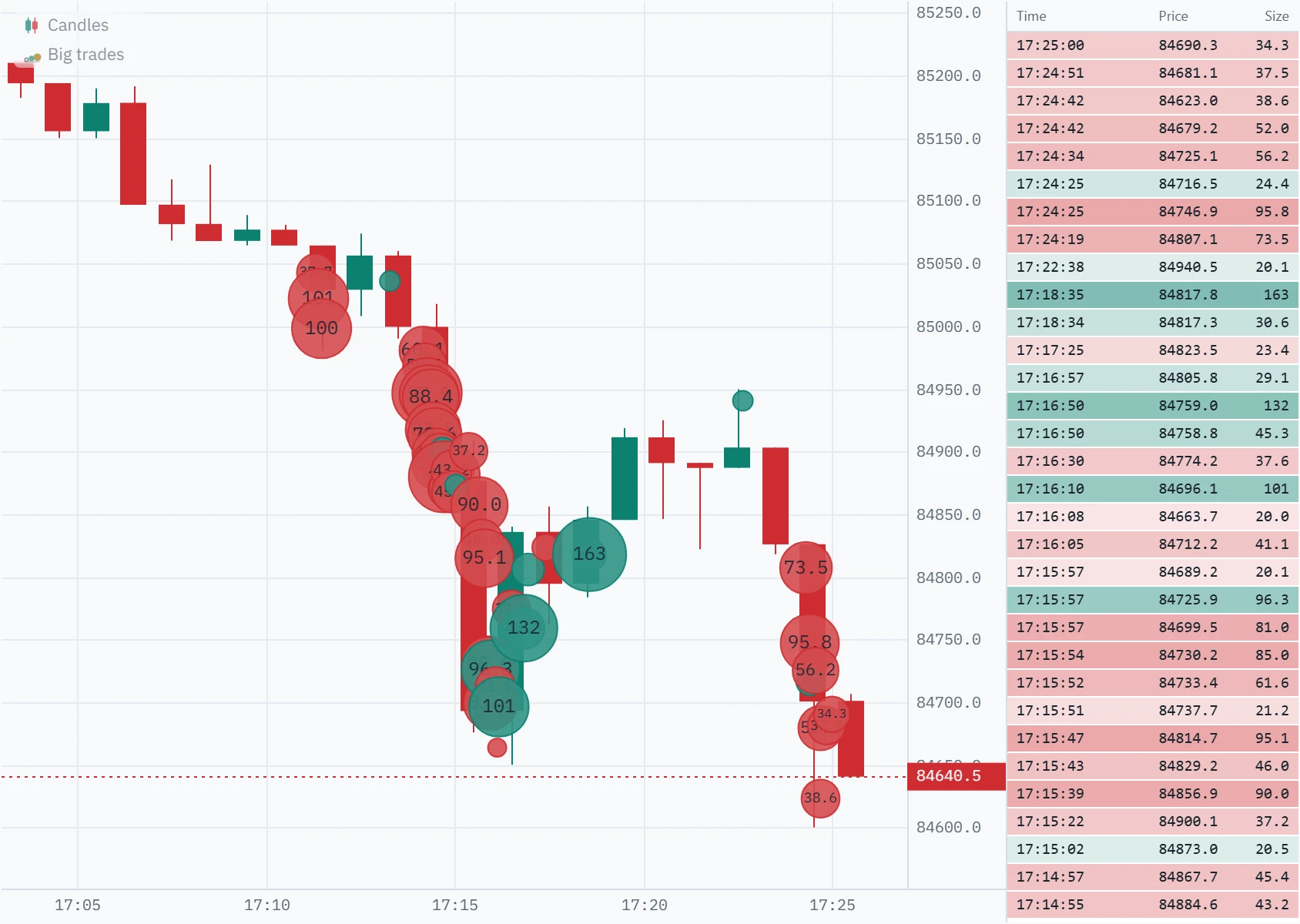
| Where it sits in time | The first print of the cluster. |
| Where it sits in price | The average price the cluster filled at, weighted by size. An order that swept five levels sits at what it paid on average, not where it started. |
| Its colour | The aggressor: the buy colour where buyers lifted the offer, the sell colour where sellers hit the bid. |
| Its size | The bubble’s area grows with the order, from the floor up to the size at maximum bubble. Anything bigger is drawn at the maximum. |
| Its label | The order’s size in coins, or its value in dollars in value mode, when the bubble is large enough to hold it. |
We checked the tool against Binance’s own trade record before writing this page, on 2 October 2026: on the Bitcoin spot chart, each of 48 bubbles over thirteen minutes equalled the cluster worked out again from the trades Binance publishes, in size, average price and number of prints. The check changed the tool first. Bubbles had stopped about an hour back on charts whose order flow reached back six; an order still trading as the chart finished loading was drawn twice; a cluster closed by the quiet-tape timer stayed closed when its next print arrived a moment late, so 9 bubbles in 43 came out short; dollar labels rarely fitted their bubbles; time & sales printed your computer’s clock instead of the chart’s time zone; and, for every tool on the chart, a minute in which the exchange’s feed went silent could be kept in the browser’s trade cache short and read back as complete. All of it is fixed.
How big counts as big
The floor is counted in coins, and a chart opens with one worked out from that market’s own volume: 5% of what trades in an average minute over the last hour, rounded to 1, 2 or 5 times a power of ten, with the size at maximum bubble ten times the floor. At 16:00 UTC on 2 October 2026 that was 10 BTC on the Bitcoin perpetual and 1 BTC on Bitcoin spot. It is a starting point that behaves the same on any coin: a few bubbles a minute, instead of none on Bitcoin and a screenful on a coin priced in cents. Type your own and it is kept for that exchange, market and symbol; the worked-out one is recalculated on each visit.
Switch Measure orders by to Value and the floor is in dollars instead, one amount for every symbol: $100,000 unless you change it. Value is the better yardstick for comparing markets; coins are better for asking whether an order was large for this one.
How far back bubbles go
Bubbles are drawn over the order flow the chart loads when it opens and keeps while it is open, as far back as the browser holds the individual trades: about half a million of them. On 2 October 2026 that was five and a half hours of Bitcoin spot and three and a half of the much busier perpetual. Further back, days from the Pro archive and tape recorded on earlier visits show the footprint without bubbles, and exchange candles show neither.
Anatomy of the chart
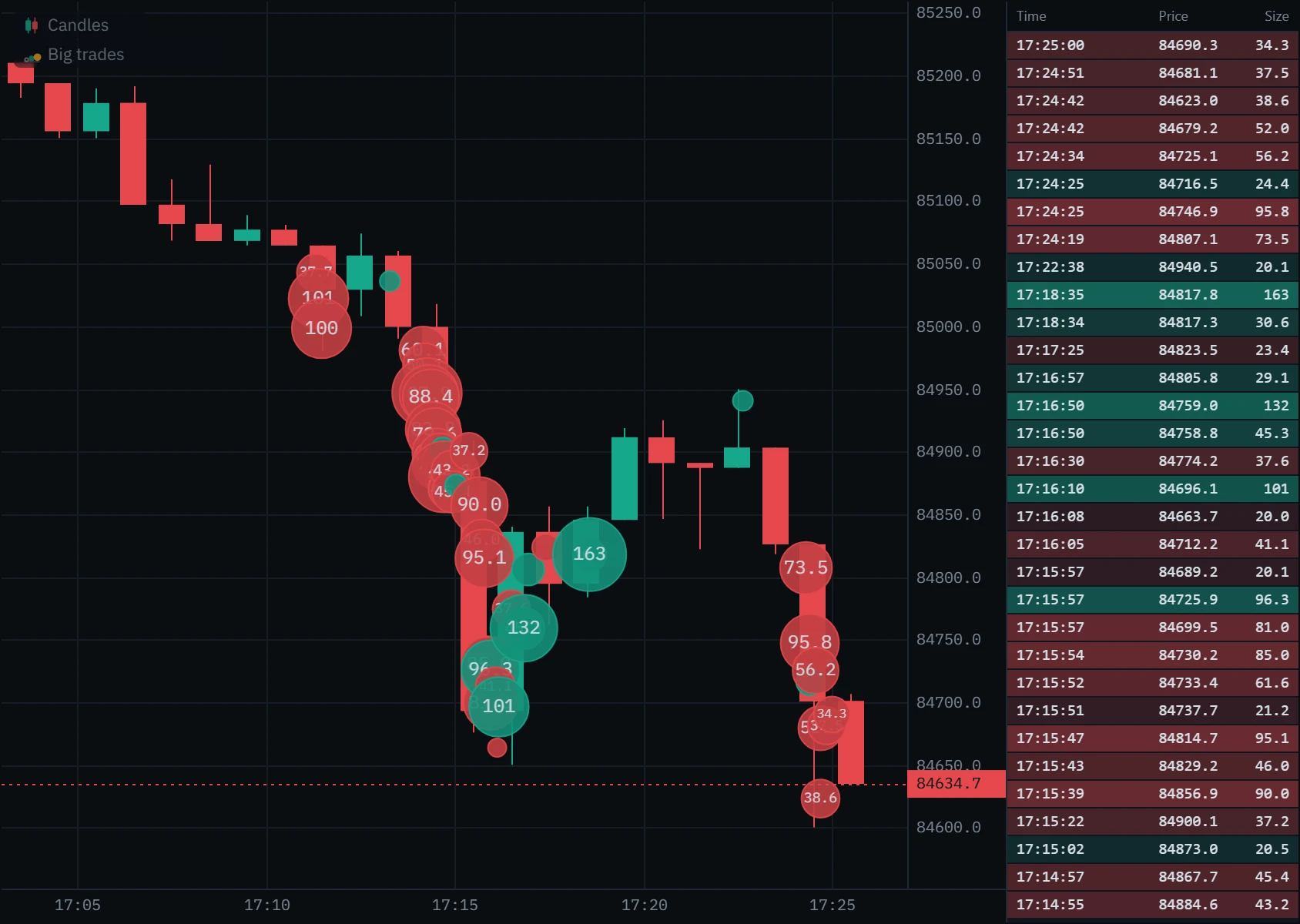
Bubbles sit on the price chart itself; time & sales docks beside it. Open each mark on the picture below.
Coins or dollars
The same orders, measured two ways. In coins, a bubble says how much of the asset changed hands; in value, how much money. The two floors below are set close to each other, 20 BTC and $2 million (about 23 BTC that afternoon), so nearly the same orders pass.
Five things to look for
A bubble says that size traded, where, and which side was in a hurry. What it meant is decided by what price did next. Each of these is a question to ask at a level you already care about.
Large orders of one colour at a price that does not give way: aggressive buyers or sellers meeting resting orders big enough to take everything they send. The aggressor is the one paying the spread, not necessarily the one winning.
- Look for
- Big same-side bubbles, price not extending
- Confirms it
- Price turns away from the bubbles
- It fails when
- Price breaks through and keeps going
Using it in your trading
Set a floor you would notice
Start from the floor the chart works out. If every bar carries a bubble, raise it until the bubbles are events again.
Mark your levels first
A range edge, yesterday’s high, a level price has turned at. Bubbles in the middle of nowhere rarely mean much.
Watch who trades size there
As price reaches the level, which colour shows up, how big, and does price answer it?
Look inside the bar
The footprint shows the prices the size printed at, and the delta panel whether it held to the close.
Put the stop beyond the size
If you trade with the bubbles, the trade is wrong once price goes back through their average price.
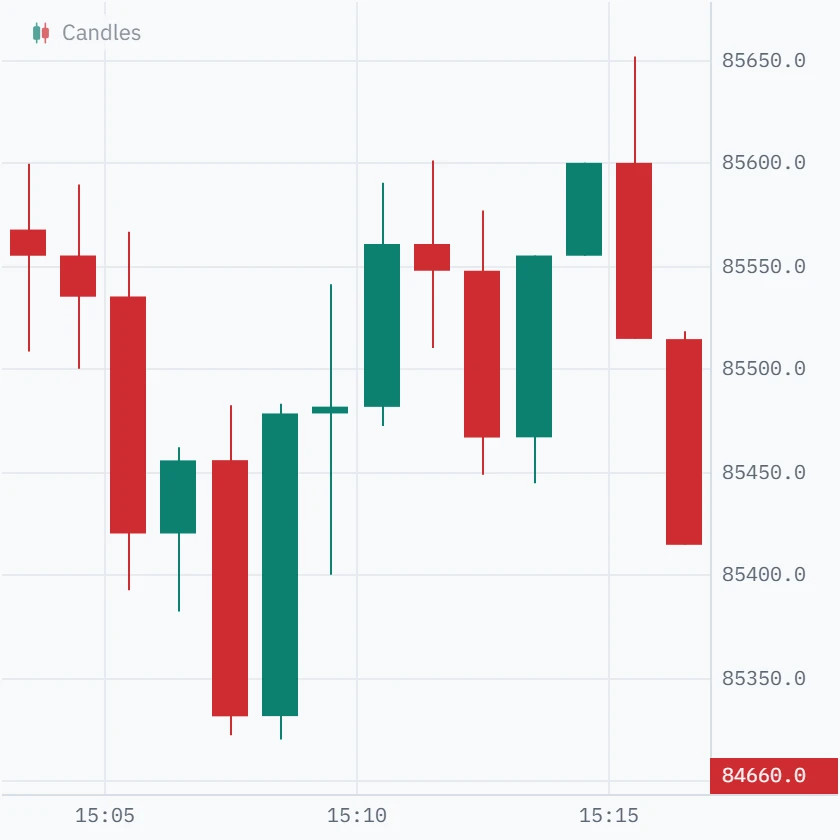
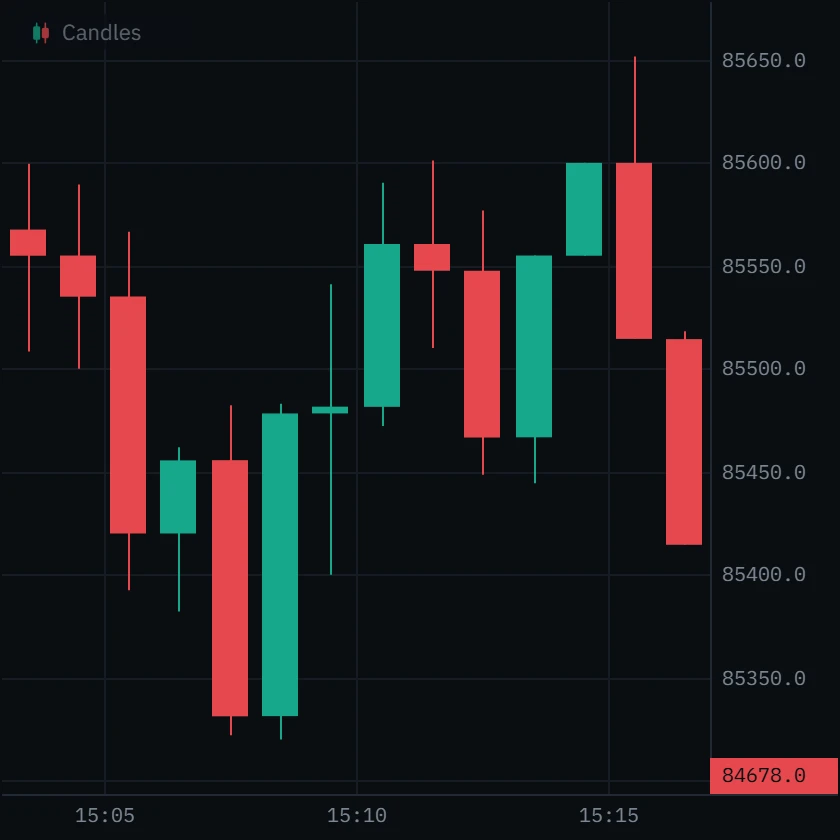
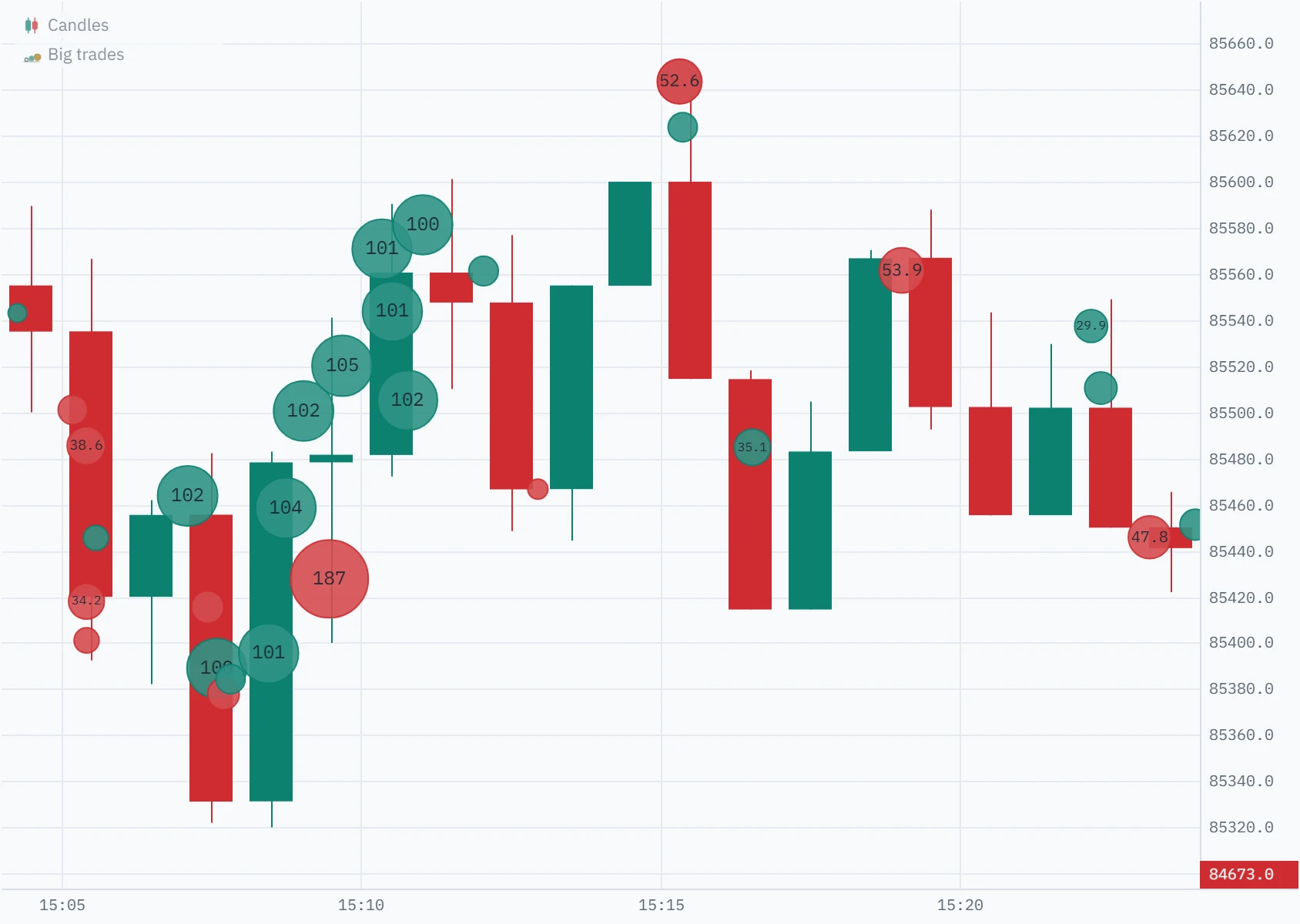
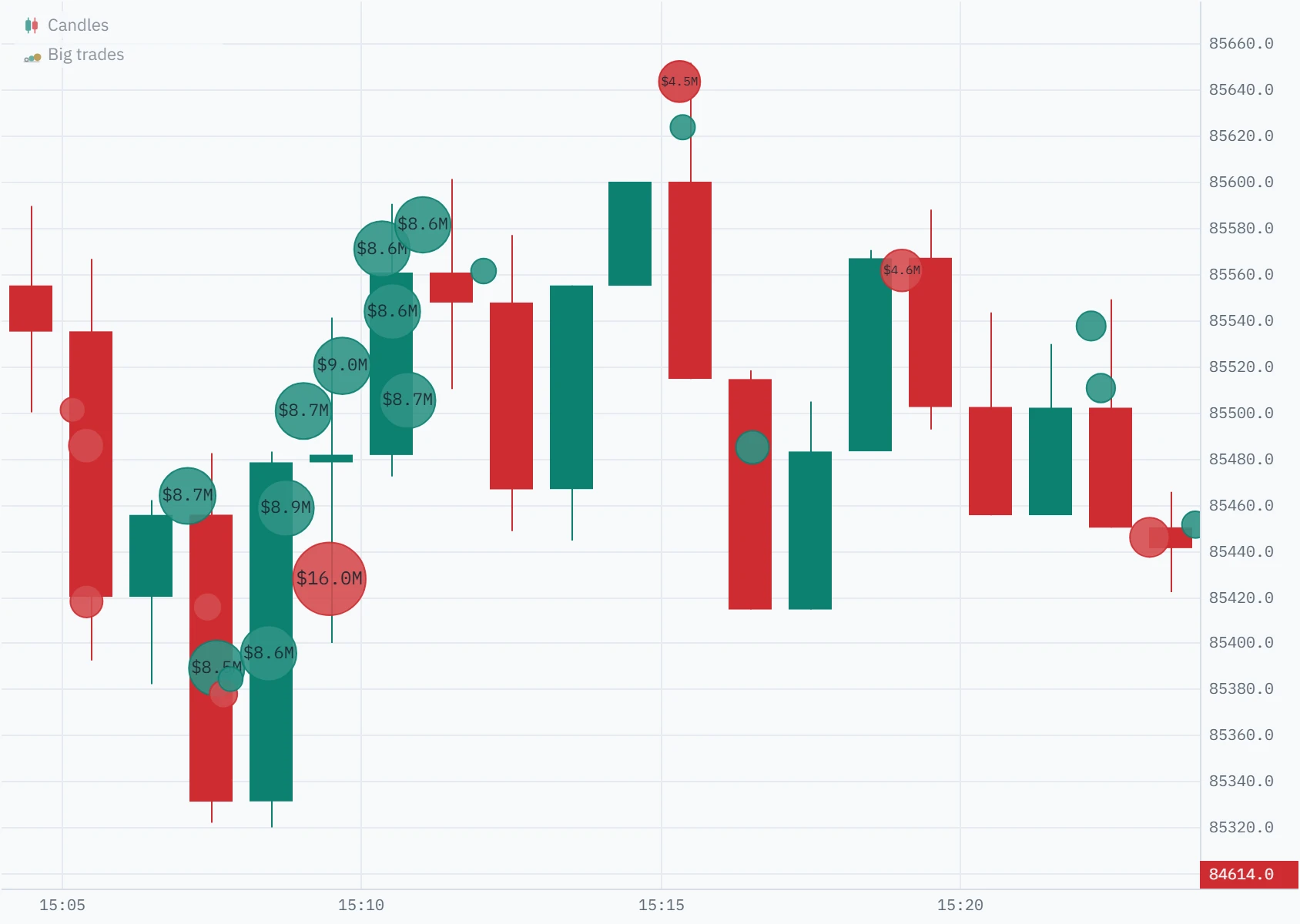
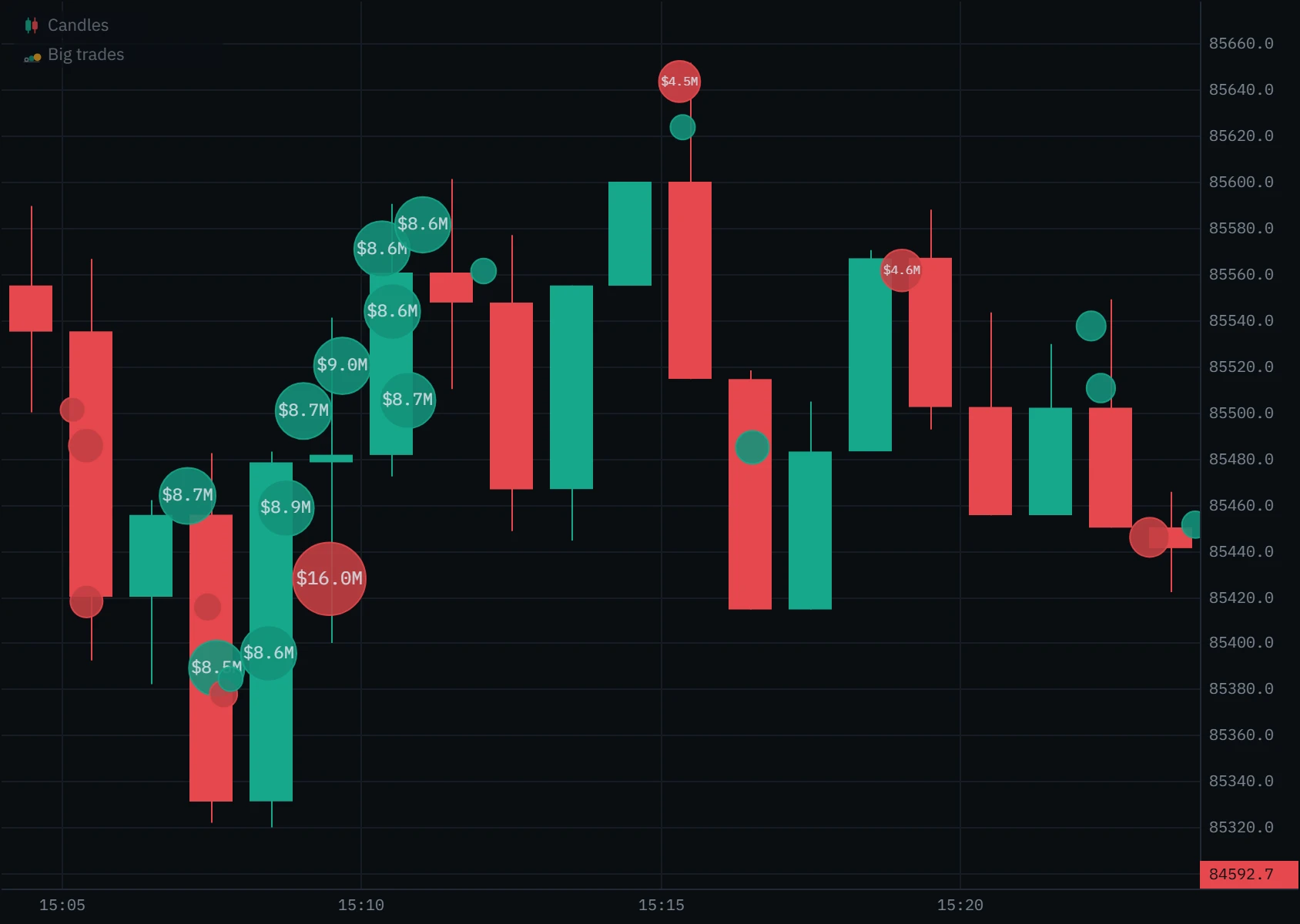
From a low of 85,322 at 15:07, price climbed to 85,601 by 15:11. On candles alone, a rally.
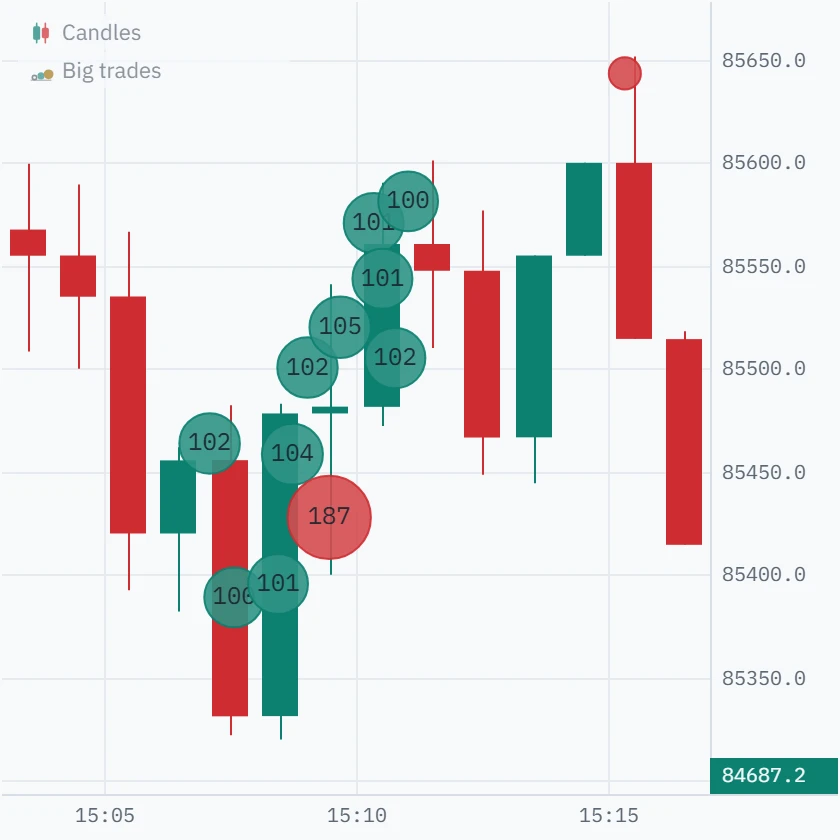
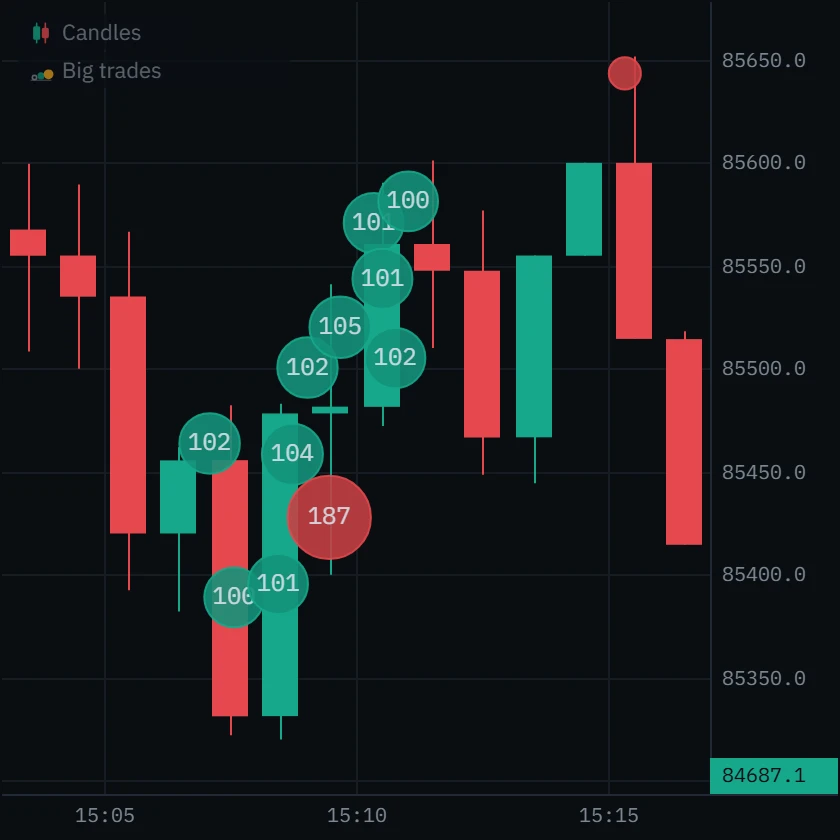
Nine buys of about 100 BTC between 15:07:06 and 15:11:01, filling from 85,389 up to 85,581, carried it; a 187 BTC sell at 15:09:28 did not stop it. When they stopped, so did the rally: 85,414 by 15:16.
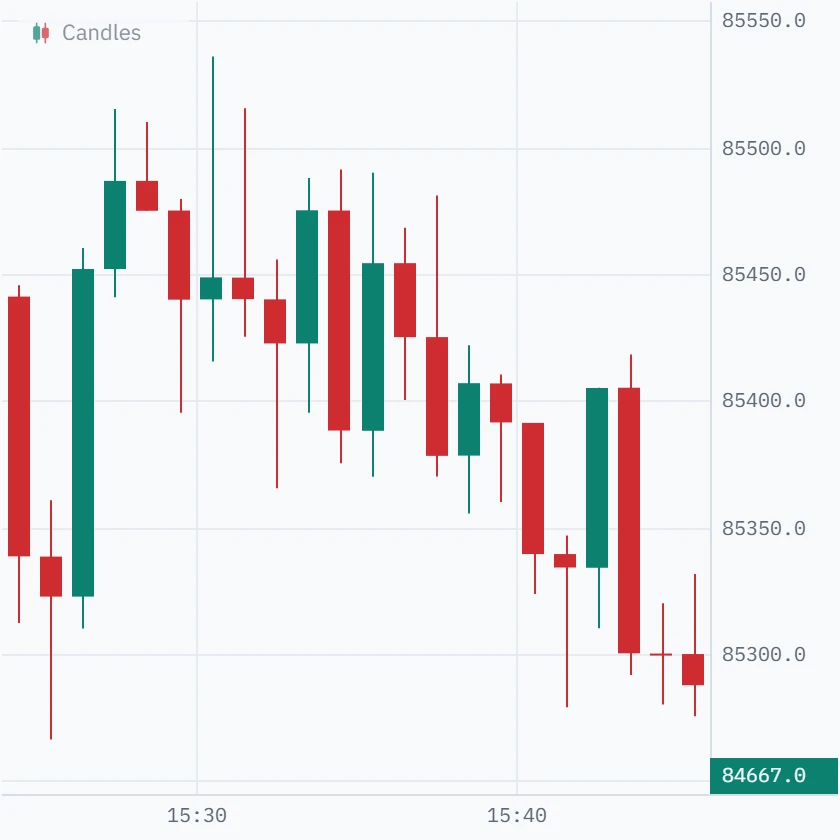
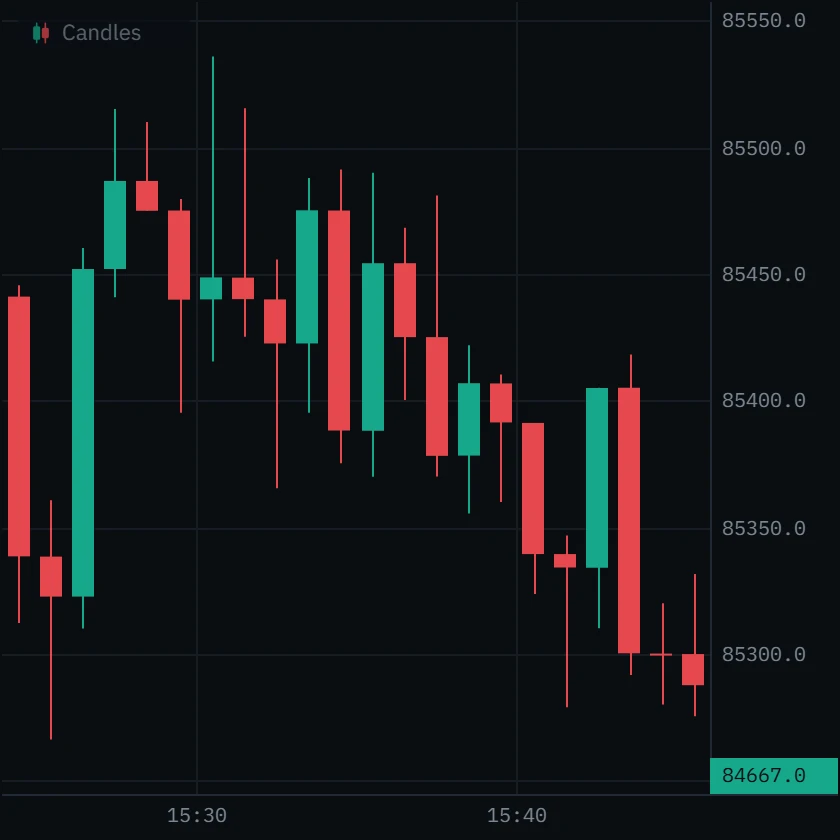
The 15:30 bar spiked to 85,536 and closed at 85,449, 8.7 above its open. Then a slow slide.
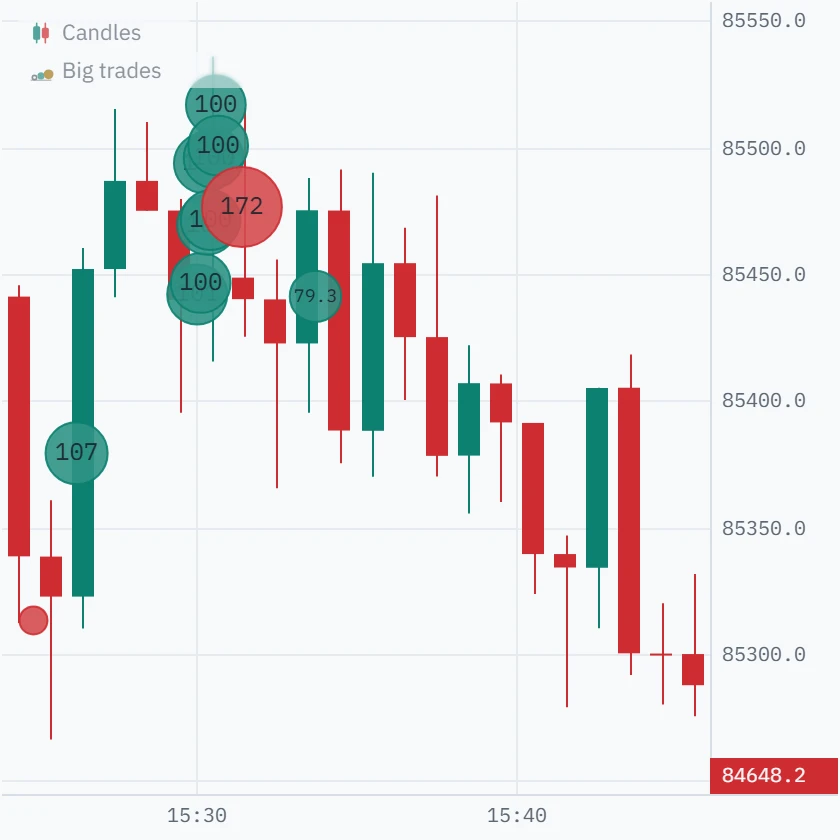
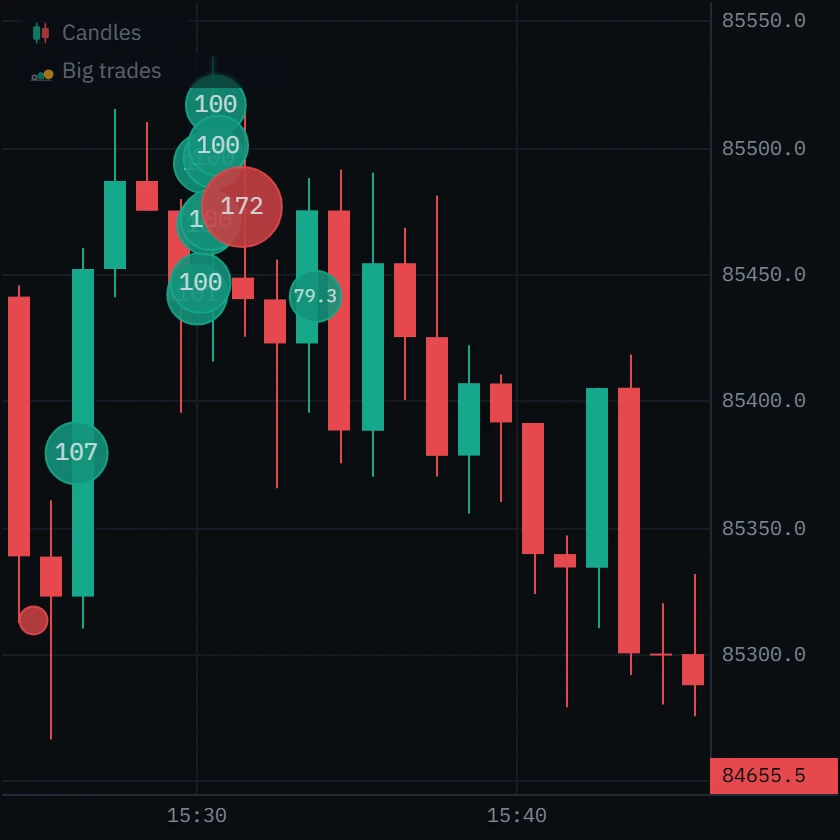
Eight buys of 100 BTC in forty seconds, 15:30:03 to 15:30:43, and the bar went nowhere: 923 BTC bought, 232 sold, and the close at the open. Someone sold into all of it. A 172 BTC sell followed at 15:31:27, and price reached 85,279 by 15:41.
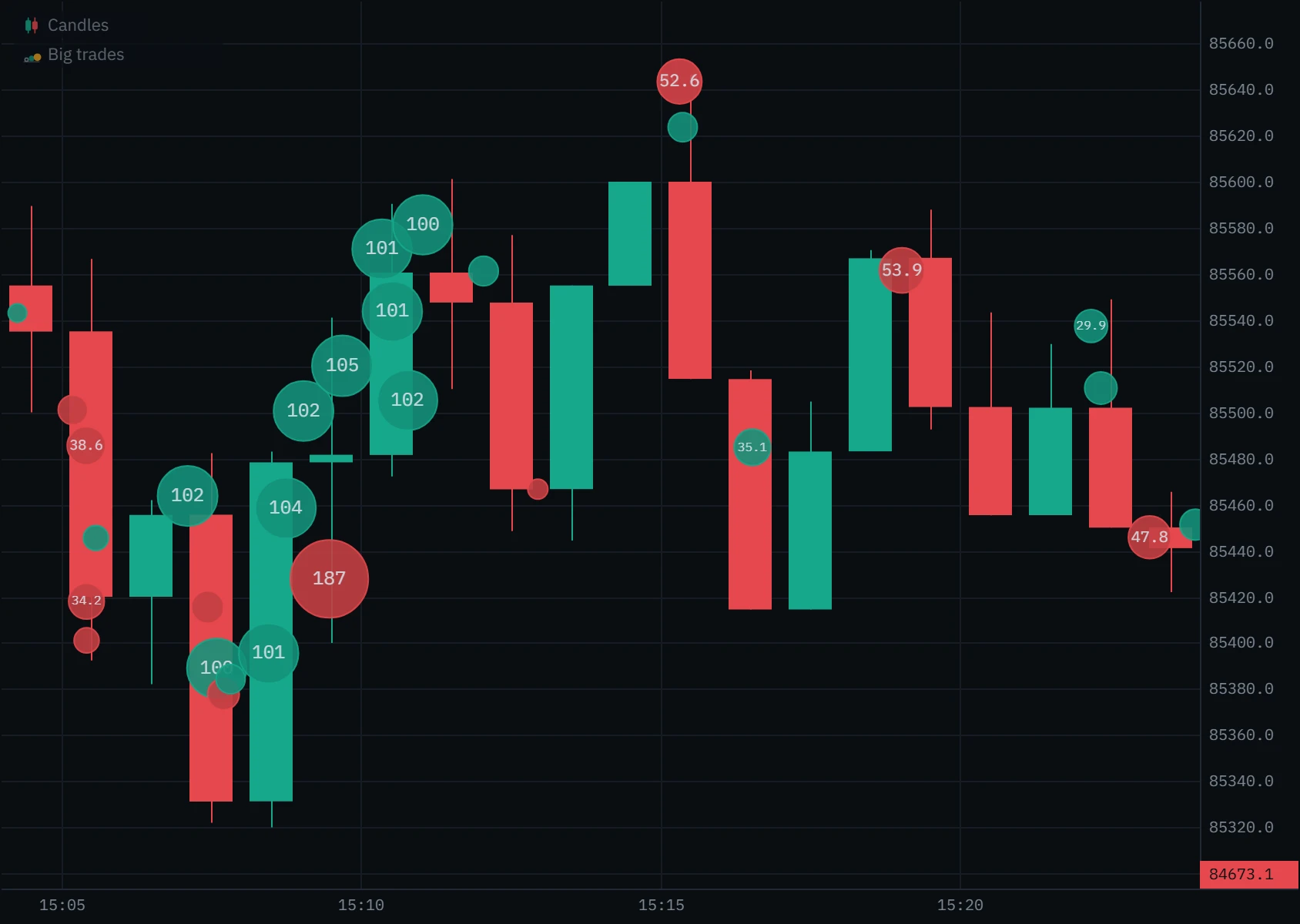
Real one-minute bars on the Binance BTCUSDT perpetual on 2 October 2026 (UTC), floor 50 BTC. Each pair is the same bars with and without the bubbles.
Set it up in Klustra
Open the chart
Go to the chart and choose an exchange and instrument. Big trades is part of Pro.
Switch it on
Open Indicators in the toolbar and pick Big trades under Order flow. Bubbles appear over the order flow already loaded, not only from now on.
Set the floor
The gear beside Big trades in the chart’s legend opens its settings. Type a minimum, or switch Measure orders by to Value for a dollar floor. History is re-drawn at once.
Add the list
Turn on Show time & sales panel to list every bubble beside the chart, newest first. On a phone it docks under the chart.
Every setting
| Setting | Default | Range | What it changes |
|---|---|---|---|
| Measure orders by | Coin size | Coin size or Value | Whether the floor and the bubble’s size are counted in the asset or in dollars. |
| Minimum order size | Worked out per symbol | Any amount | Coin size mode. The smallest cluster that gets a bubble. Opens at 5% of an average minute’s volume; what you type is kept for that symbol. |
| Size at maximum bubble | Ten times the symbol’s floor | Any amount | Coin size mode. Orders this big or bigger are drawn at the maximum bubble size. |
| Minimum order value | $100,000 | Any amount | Value mode. The smallest cluster that gets a bubble, in dollars, the same for every symbol. |
| Value at maximum bubble | $1,000,000 | Any amount | Value mode. Orders worth this much or more are drawn at the maximum bubble size. |
| Cluster window (ms) | 400 | 0 to 2000 | How close two same-side prints must be to count as one order. A cluster also ends after two seconds. At 0 only prints stamped in the same millisecond join. |
| Maximum bubble size | 26 | 10 to 60 | The radius, in pixels, of the largest bubble. The smallest is 6. |
| Bubble opacity | 0.9 | 0.2 to 1 | At 1 a bubble hides the candle under it; lower lets the candle show through. |
| Show size on bubbles | On | On or off | Writes the order’s size or value in each bubble large enough to hold it. |
| Show time & sales panel | Off | On or off | Lists the bubbles beside the chart: time in the chart’s time zone, average price, size in coins. |
Common mistakes and limits
- Reading a bubble as one trader. Exchanges do not say who placed an order. A bubble is every same-side print inside the window, so two traders who hit the market within 400 milliseconds of each other become one bubble.
- Reading a buy bubble as bullish. It means someone bought aggressively. Whether price gave way is the bars’ answer: at 15:30 on 2 October, 800 BTC of buying moved price nowhere.
- A floor so low that every bar has a bubble. Then nothing stands out. The worked-out floor aims for a few a minute; raise it on a busy day.
- Comparing coin sizes across markets. Twenty is a large Bitcoin order and nothing on most altcoins. Use value mode to compare, coins to judge one market.
- Expecting bubbles everywhere on the chart. They are drawn where the chart holds the individual trades: the order flow loaded with the chart, not archived days or exchange candles.
- Mixing venues. Bubbles are one exchange and one market at a time. Spot and perpetual are separate tapes, and so is each exchange.
Free and Pro
Big trades are part of Pro, with the rest of the live book and tape tools. The chart, the footprint and the order-flow panels inside it stay free.
| Feature | Free | Pro |
|---|---|---|
| Big trades | Not included | Included |
| Flow tape | Not included | Included |
| DOM ladder | Not included | Included |
| Book heatmap | Not included | Included |
| Speed of tape | Not included | Included |
| Price and order-flow alerts in the browser | Not included | Included |
| Footprint chart (bid × ask) | Included | Included |
| Order-flow history | Last 6 hours | Deep archive, where covered |
Questions
What are big trades on a chart?
Large aggressive orders, drawn as bubbles at the price and time they filled: green where buyers lifted the offer, red where sellers hit the bid, bigger for bigger orders. They show where size was spent, which candles alone cannot.
How does Klustra decide a trade is big?
It adds up the prints of each burst of same-side trading and compares the total with your floor. The floor starts at 5% of an average minute’s volume for that market, so it suits Bitcoin and a small altcoin alike, and you can type your own in coins or switch to dollars.
Is one bubble one order?
Usually, but not always. Exchanges publish trades, not who sent them. Klustra groups same-side prints that arrive within 400 milliseconds of each other, which catches an order sweeping several prices; two traders hitting the same side at the same moment are grouped too.
Why is a bubble at a price that did not trade?
It is drawn at the order’s average fill price, weighted by size. An order that bought at five prices sits at what it paid on average, which can fall between two traded prices.
What is the difference between big trades and the flow tape?
Big trades group prints into orders and draw them on the chart, with an optional list beside it. The flow tape, also in Pro, lists every single print worth more than a dollar amount, ungrouped, alongside liquidations.
Why are there no bubbles further back on the chart?
Bubbles need the individual trades, and the browser holds about half a million of them for the order flow the chart loads: several hours on most markets, three and a half on the Bitcoin perpetual on 2 October 2026. Archived days and exchange candles show the footprint or candles without bubbles.
Can I get an alert on a big trade?
Yes, with Pro. A Big trade alert fires when an order of at least the size you set, in coins, prints on the chosen side. It runs in your browser, so the chart’s tab has to be open.
Is the big trades indicator free?
No. Big trades, time & sales, the flow tape, the DOM ladder and the book heatmap are part of Pro. The footprint, delta, CVD and imbalances are free.
Related tools
See it on a live market.
Open a supported market and switch the tool on. The footprint, delta, CVD and imbalances are free, with no account.
Order flow shows what traded, not what will trade next. Nothing on this page is financial advice, and trading carries a real risk of loss.